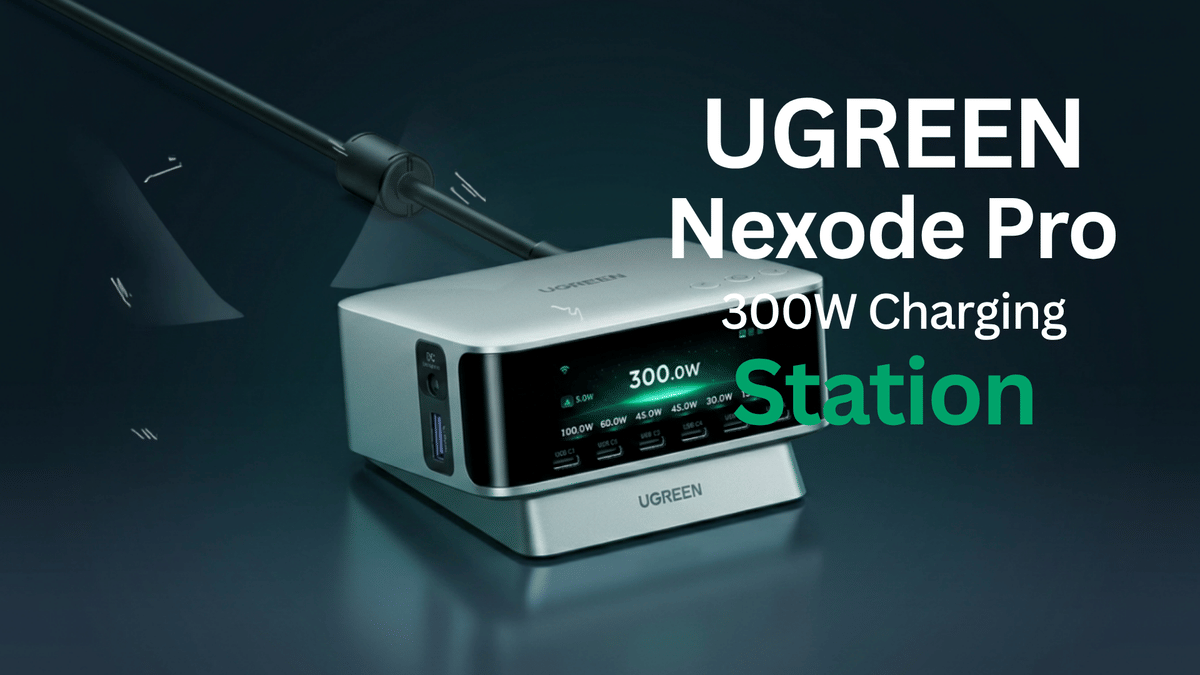
If your desk is covered in charging bricks, cables, and power supplies, this is the kind of device that can clean up the whole situation. The UGREEN Nexode Pro 300W Charging Station is not a little travel charger. It is a serious desktop power command center built to handle laptops, tablets, phones, accessories, lights, and more from one solid unit.
I put it through a real desk setup with a power hungry laptop, an Android tablet, a speaker, a fan, and other USB gear. Bottom line, this thing is a beast. It has the weight, port selection, display, and smart controls to replace a whole pile of individual charging bricks.
Key Takeaways
The UGREEN Nexode Pro delivers up to 300W through six USB-C ports, USB-A, and a DC output.
A built-in display shows live charging activity, adaptive power settings, brightness, timeout, and language controls.
The UGREENConnect app monitors individual port wattage after Bluetooth setup and Wi-Fi connection.
Its weighted desktop design can replace several charging bricks in a multi-device workspace.
Table of Contents
What Comes in the Box
Right out of the box, the first thing that jumps out is the power cable. It is thick, heavy duty, and definitely not some little lightweight cord. That makes sense because this charger is built to deliver up to 300W of total power.
The charging station itself feels very solid. It has rubber feet on the bottom, enough weight to stay planted on the desk, and a compact square desktop design. Once it is sitting in place, it is not sliding around every time a cable gets pulled.
UGREEN also includes a small branded stand. The stand raises the unit from the desk, which can help with placement and cable routing. It is not strictly necessary because the charger already sits securely on its rubber feet, but it gives you another way to set it up.
Eight Ports for a Full Desk Setup
This is an eight port charger, and the layout makes it practical for a desk where multiple devices need power at the same time.
Six USB-C ports across the top
One USB-A port on the side
One dedicated DC output rated up to 240W
That DC output is a major reason this is more than an ordinary USB charger. It is designed to support compatible higher power devices, while the USB-C ports handle the everyday gear that tends to cover a desk.
The product information lists support for laptops, tablets, mobile phones, drones, cameras, earbuds, and Nintendo Switch systems. It also supports up to 140W maximum output from a single USB-C port. That is the kind of headroom needed for modern laptops that would normally require their own dedicated wall charger.
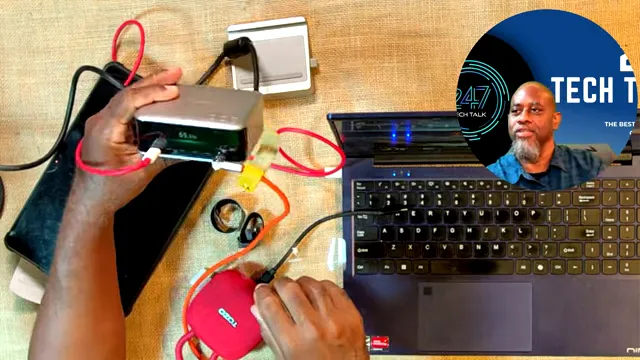
The station brings high power and everyday USB charging connections into one desktop hub.
Built Like a Desktop Charger, Not a Pocket Brick
There is no pretending this is a tiny charger that disappears into a bag. The Nexode Pro 300W is a desktop unit, and that is exactly what makes it useful. It is meant to sit in one spot, take the cable clutter, and become the central power source for your work area.
The heavy body and grippy feet are important when you have thick USB-C cables connected to multiple devices. A lightweight charger can get dragged all over the desk. This one stays where you put it.
For a creator desk, home office, or workstation with lots of portable electronics, that stability matters. You can plug in a laptop, tablet, phone, headphones, light, or accessory without dealing with a row of wall adapters and power strips.
Testing It With a Laptop and Multiple Devices
The real test was connecting a laptop that normally uses a 160W charger. The original power brick was removed, and the laptop was plugged directly into the UGREEN station. It immediately recognized that it was charging.
Once the display was uncovered, the station showed live power readings. During the laptop test, power consumption moved around in real time, with readings around 59.1W and 42W as the laptop pulled power.
An Android tablet was connected as well, along with a USB speaker. The charger handled the connected devices without issue. The important part is that the system is not just giving power blindly. It is showing what the connected devices are actually drawing.
That is very useful when a setup includes a laptop plus lower power gear. You can see which device is using the most power and get a quick sense of whether your desk is operating the way you expect.
The Smart Display Shows What Is Happening
The built-in display is one of the best features here. This is not a touchscreen, but the physical buttons let you move through useful charging information and settings.
The display provides a live look at charging activity, including total power and the draw from connected ports. It also gives you access to settings such as:
Adaptive Power
Brightness control
Screen timeout
Language settings
Adaptive Power is particularly useful on a charger like this because several devices may be competing for power at once. The point is to intelligently distribute available power across the setup instead of treating every port like an isolated charger.
For anybody who likes to know what is going on with their gear, the live wattage display is a great touch. You can plug something in and immediately see the power draw change.
UGREENConnect App and Wi-Fi Monitoring
The smart app adds another layer to the experience. Initial setup uses Bluetooth, then the charging station connects to Wi-Fi. Once it is on Wi-Fi, the UGREENConnect app can show the charger and its eight ports remotely.
The app also includes a gear icon that opens device details, including Wi-Fi information and the serial number. Over the air firmware updates are supported too, so the unit can receive updates after it is already on your desk.
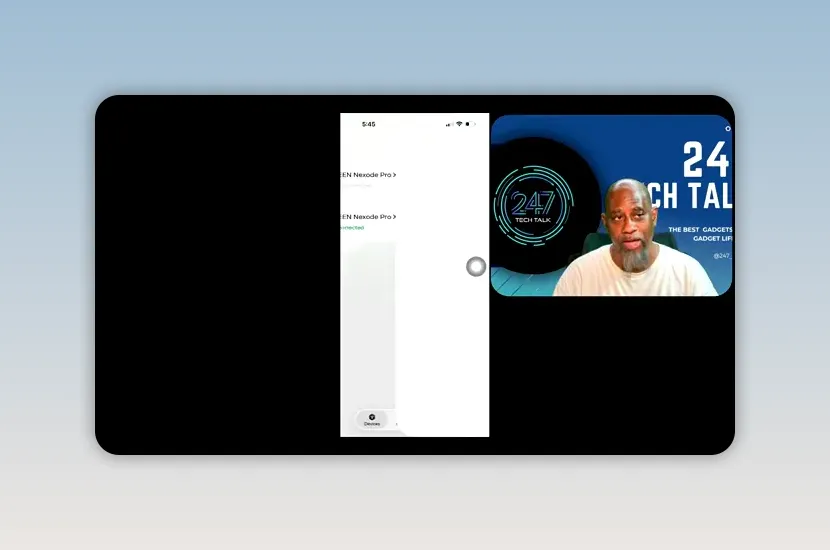
The UGREENConnect app provides a port-by-port view of the charging station.
The best part of the app is the per port power monitoring. During testing, plugging in a small light caused the relevant port to register about 1W. A USB-C fan registered about 4.1W, then climbed to 6.2W and 7.2W as the fan was turned up.
That is the value of having eight separate readings. You can identify the device that is actually pulling the power instead of guessing.
Who This Charging Station Is For
The UGREEN Nexode Pro 300W Charging Station makes the most sense for somebody with a real desktop setup. If all you charge is one phone overnight, this is more charger than you need. But if your desk has a laptop, tablet, phone, portable light, speaker, camera gear, gaming accessories, or several USB-C devices, it can replace a whole bunch of bricks.
It is especially useful for:
Work from home desks with a laptop and mobile devices
Creator setups with lights, cameras, tablets, and accessories
Users who want high wattage USB-C laptop charging
Anyone tired of tracing cables back to different wall chargers
People who want live power monitoring through a display and app
Final Thoughts
This is another strong UGREEN product. It is heavy, solid, loaded with ports, and capable of powering a lot of equipment from one central location. The display gives you useful real time data, and the app brings in Wi-Fi monitoring, device details, and per port power information.
The biggest advantage is not just the 300W rating. It is the convenience of turning a messy collection of charging bricks into one organized power station. Plug in your devices, see what they are drawing, and get your desk under control.
For a high power desktop charging setup, this one gets two thumbs up.
Frequently Asked Questions
How many ports does the UGREEN Nexode Pro 300W Charging Station have?
It has eight ports total: six USB-C ports, one USB-A port, and one dedicated DC output.
Can the UGREEN 300W station charge a laptop?
Yes. It supports up to 140W maximum output from a single USB-C port and successfully charged a laptop that normally used a 160W power adapter.
Does the UGREEN charging station have a display?
Yes. Its built-in smart display shows live charging information and allows access to settings such as Adaptive Power, brightness, screen timeout, and language.
Does the UGREEN Nexode Pro 300W work with an app?
Yes. The UGREENConnect app uses Bluetooth for initial setup, then Wi-Fi for monitoring the charger, connected ports, device details, and individual power draw.