I had a problem in my home studio network that made me rethink the way everything was connected. I had several switches daisy-chained together over 10GbE SFP+ links. The speed was great, but I discovered the downside when one switch developed a power issue: every switch downstream from it went offline.
That is not the kind of single point of failure I want when there are anywhere from 80 to 125 wired and wireless devices active in the house. Between NAS units, access points, gateways, creator gear, smart-home devices, and everything else, the network needs to stay up.
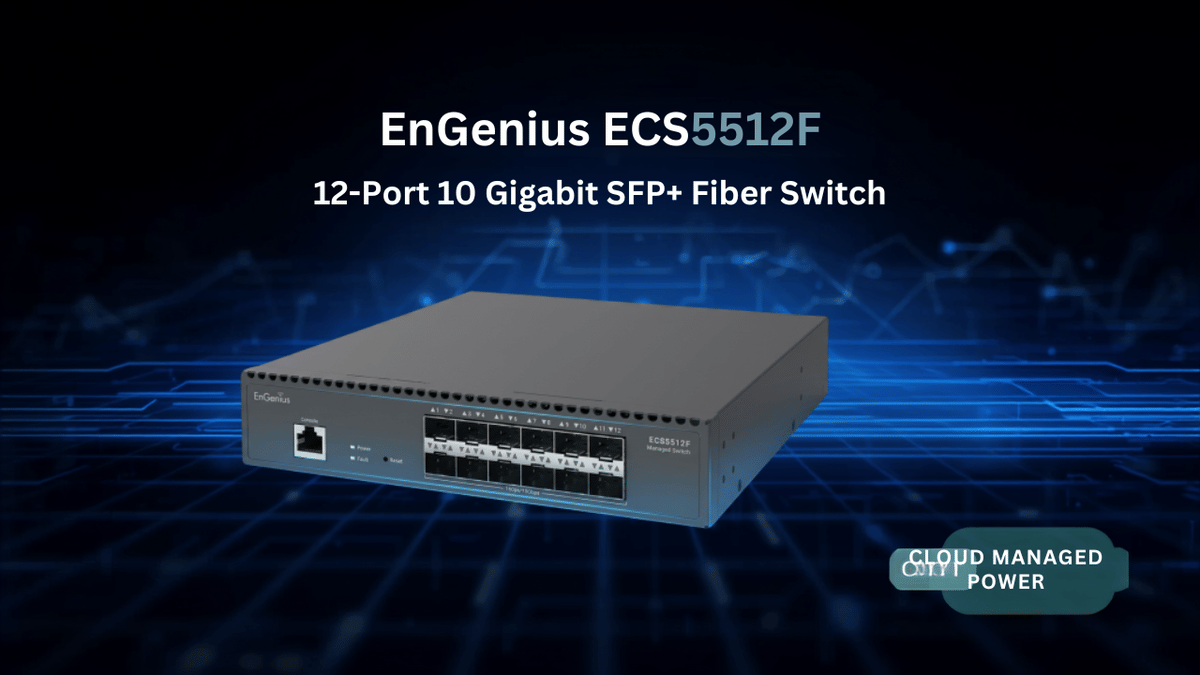
The answer for me was the EnGenius ECS5512F, a compact 12-port 10GbE SFP+ aggregation switch that lets me bring each switch and high-speed device directly back to one central point.
Table of Contents
Why I Needed a Central 10GbE Aggregation Switch
My network is already heavily invested in EnGenius equipment. I use EnGenius access points, switches, a VPN gateway, and a power distribution unit. Most of those devices include 10GbE SFP+ ports, so I had built an internal fiber backbone by connecting switches to one another.
That approach gave me fast connections, especially for devices like my NAS systems. My NAS units have 10GbE Ethernet, and file transfers inside the network are incredibly fast. But daisy-chaining creates a dependency: if one switch in the chain fails, the devices beyond it can lose their connection to the rest of the network and the internet.
The ECS5512F changes that layout completely. Rather than connecting switch to switch to switch, I can connect each remote switch directly back to the central SFP+ switch. It is a much cleaner star-style design for my setup.
Each switch gets its own direct 10GbE uplink.
A failure on one remote switch does not take down the others.
NAS devices and other high-bandwidth equipment can connect at 10GbE.
The internal network remains fast even when the internet connection is slower.
For a home setup, this is definitely overkill for most people. For me, though, this is exactly the kind of thing I enjoy building.
What Comes With the EnGenius ECS5512F
The ECS5512F is a compact half-rack switch, but EnGenius includes what is needed to install it in a full-width 19-inch rack. In the box, I found the switch, power cable, console cable, mounting hardware, and the rack ears.
The mounting setup is practical. One side uses a shorter rack ear and the other uses a longer one, allowing the smaller switch chassis to span a standard rack width. It also has rubber feet, so it can sit on a desktop or shelf if rack mounting is not part of the plan.
The main attraction is simple: 12 SFP+ ports. That gives me enough ports to centralize my fiber uplinks, connect NAS hardware, and leave room for future expansion.
There is also a console port for local management. If cloud management is more your speed, the switch can be managed through EnGenius Cloud. The cloud platform is available without a required subscription, while a higher-tier account adds extra reporting and related features.
Building a 10GbE Fiber Backbone
The ECS5512F is now the center of my internal 10GbE network. Multiple switches located around the home connect directly into it over SFP+ links. Instead of relying on a chain, each location gets a dedicated path back to the core.
This is especially useful because my existing EnGenius switches already have SFP+ uplink ports. For example, I have switches with four SFP+ ports, while one of my other EnGenius models includes six. That makes it easy to keep the high-speed backbone consistent across the network.
The goal is not just high benchmark numbers. It is about making the network more resilient. If one edge switch goes down, the other switches can still communicate with one another and continue reaching the gateway.
For anyone working with a NAS, server, editing workstation, or a serious home lab, a 10GbE backbone can make a very real difference. Large media files, backups, project folders, and transfers between systems benefit from the bandwidth available through 10 Gigabit Ethernet.
My Current Internet and Gateway Setup
My internal network is 10GbE, but the connection out to the internet is currently 2.5GbE. I have 2.5 gigabit upload and download service from my ISP, and that connection is running through my EnGenius ESG620 VPN gateway.
The gateway has an SFP+ WAN port, which is great for bringing in a high-speed internet feed. On the LAN side, however, my current connection scales down to 2.5GbE Ethernet. So while the network inside the house can move data at 10GbE, internet traffic is limited by the ISP connection.
That may change soon. My ISP has significantly lowered the price of its 8GbE service, and the additional monthly cost is now much more reasonable. The interesting part is that the modem for the 8GbE tier uses coax coming in but provides a 10GbE SFP+ WAN port.
If I move to that plan, I should be able to run SFP+ directly from the modem into the gateway, then continue through the 10GbE fiber backbone. That would eliminate the current Ethernet-to-SFP+ conversion step and allow the network to take much better advantage of the available 8GbE internet service.
Where the ECS5512F Fits in a Studio Network
In my rack, the ECS5512F sits at the core of the network. The gateway connects into the main switch, and the switches deployed around the house come back to this same central point. My UGREEN NAS units will also connect into the 10GbE infrastructure.
Some of those NAS units have dual 10GbE Ethernet ports. Since the ECS5512F uses SFP+ connections, those copper Ethernet devices need the appropriate transceivers to bridge the connection into the SFP+ switch.
Once everything is connected, the result is a high-speed internal network that supports storage, switching, gateway connectivity, and future internet upgrades without forcing me to rebuild the foundation again later.
That is what I like about this switch. It is not just another device with a bunch of ports. It solves a real design problem by giving all of my high-bandwidth equipment a central place to connect.
SFP+ Modules Matter More Than You Might Expect
One thing I do not want to skip over is SFP+ compatibility. In my experience, EnGenius switches and devices work best with EnGenius modules. SFP+ transceivers can get expensive when you are building a full fiber network, because the costs add up quickly as the number of ports grows.
I have tried modules from other brands. Some worked in an older EnGenius switch I own, but I ran into compatibility issues when I tried them in newer equipment. In some situations, those third-party modules simply did not work, and I had to go back and purchase EnGenius transceiver modules.
If you want the safest path for compatibility, use the EnGenius SFP+ modules and DAC cables designed for the platform.
There is another option that has worked well for me: pre-terminated SFP+ cables. These cables already have the SFP+ ends attached, so they plug directly into compatible ports without requiring separate modules. They are a convenient choice when connecting equipment within the same rack or across a short distance.
For a fast setup, especially when you are still budgeting for additional transceivers, pre-terminated DAC or fiber cables can be an easier way to get the backbone online.
Performance, Reliability, and Everyday Use
Since moving to the centralized fiber design, performance has been excellent. The internal network is fast, the connections have been stable, and I have not had issues with signal loss. More importantly, the network no longer depends on every remote switch in a daisy chain remaining online.
The ECS5512F itself has been reliable. It has not gone down, and EnGenius regularly provides firmware updates. The updates are announced ahead of time and are typically scheduled during the early morning hours, which is exactly when you want network maintenance happening.
I am not going to pretend that I am using every advanced Layer 2+ feature, building out complex VLAN configurations, or pushing every management option to the limit. That is not how I use this equipment. In my case, the advanced features are there if I ever need them, but the value I am getting right now is straightforward:
Reliable 10GbE links between the important parts of my network.
Direct fiber uplinks from remote switches to the core.
Fast NAS connectivity for local storage and file transfers.
Better resilience than a daisy-chained topology.
A network foundation ready for a future multi-gig internet upgrade.
Is the EnGenius ECS5512F Worth It?
If you have a typical home network with a few computers, streaming devices, and a standard internet plan, this switch is probably more than you need. Twelve 10GbE SFP+ ports are serious hardware.
But if you have multiple switches, a NAS, servers, high-speed workstations, a creator studio, or a home lab that is growing quickly, the ECS5512F makes a lot of sense. It gives you a dedicated place to aggregate all those 10GbE connections and eliminates the weak point that can come from chaining switches together.
I am very happy with how this switch fits into my setup. It has made the network more reliable, it has kept my internal traffic moving at 10GbE, and it gives me a clean path to go full fiber from the ISP all the way through the network when I make the jump to faster service.
For my home studio, it is a big win. Two thumbs up.
Frequently Asked Questions
What is the EnGenius ECS5512F used for?
The ECS5512F is a 12-port 10GbE SFP+ aggregation switch designed to centralize high-speed connections for switches, NAS devices, servers, workstations, and gateways.
Does the ECS5512F support 10GbE NAS connections?
Yes. A NAS with SFP+ ports can connect directly, while a NAS with 10GbE Ethernet can connect through a compatible SFP+ transceiver.
Why is a star network topology better than daisy-chaining switches?
With direct uplinks to a central switch, one failed edge switch does not disconnect every switch and device located beyond it in a chain.
Should I use EnGenius SFP+ modules with EnGenius switches?
That is the most reliable choice based on my experience. Third-party modules may work in some older hardware, but compatibility can be inconsistent with newer EnGenius switches.