A desktop charger is supposed to make life simpler. One power brick, fewer cables, less clutter, and enough output to handle the pile of cameras, power banks, accessories, and other gear that somehow always ends up needing a charge at the same time.
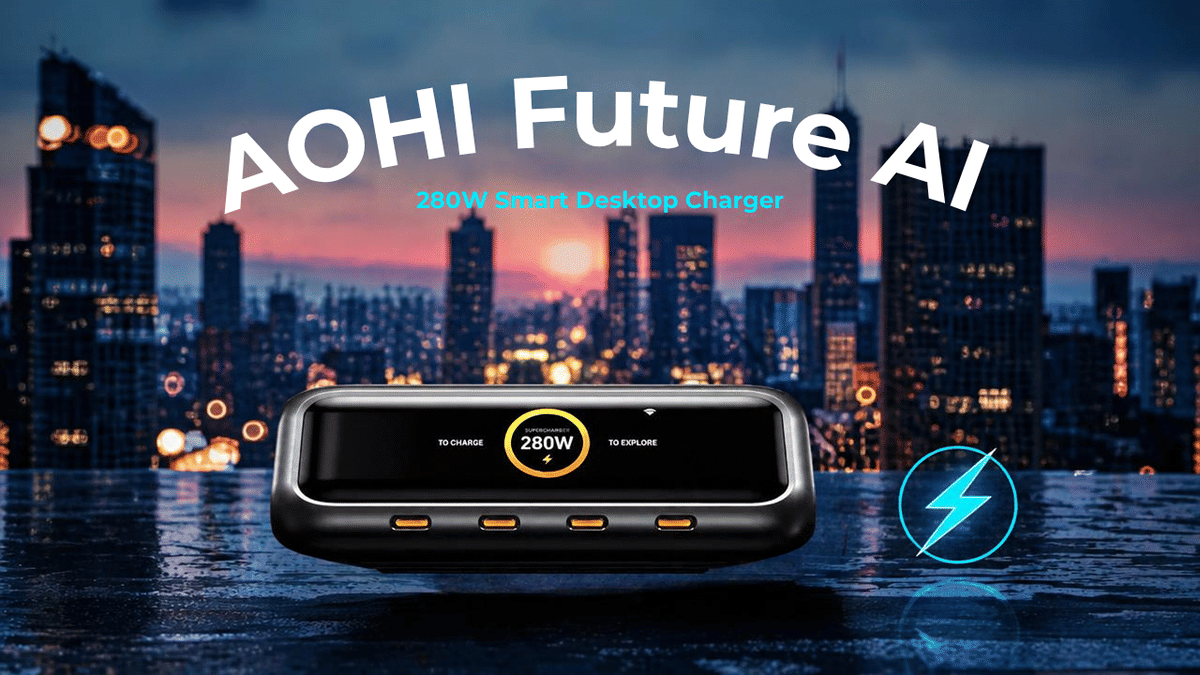
The AOHI Future AI 280W Smart Desktop Charger is trying to be that all-in-one solution. It is a six-port GaN charger with four USB-C ports, two USB-A ports, a display, Wi-Fi connectivity, app controls, and up to 280 watts of total power. That is a lot more going on than the usual charger you toss on a desk.
I spent time with it in a real multi-device setup to see whether those extra features are actually useful or just extra stuff to manage.
Quick Summary
AOHI’s six-port GaN charger supplies up to 280W across four USB-C and two USB-A ports.
Its display and app provide live charging data, port controls, and adjustable power allocation.
Smart mode automatically balances connected devices, while Turbo mode prioritizes the first two USB-C ports.
Account registration, 2.4 GHz-only Wi-Fi, and long firmware updates are the main drawbacks.
Table of Contents
What Comes in the Box
The presentation is clean and simple, which I always appreciate. Inside, there is the charger itself, a power cable, a manual, warranty paperwork, and a small pin tool.
At first, that little tool looks like something for opening a SIM tray or memory-card slot. It is actually for the Wi-Fi reset button on the side of the charger.
The first thing you notice when picking up the AOHI charger is the weight. It is a substantial device. That is not necessarily a bad thing for a desktop charger because it stays planted where you put it. It does not feel like it will slide around, tip over, or get pulled off the desk every time you move a cable.
AOHI Future AI 280W Design and Port Layout
This is a low-profile desktop charging station with a clean, fairly sleek design. The AOHI branding sits on top, the front has the display, and rubber feet underneath help keep it in place.
The included AC cable connects at the back of the unit. I also like that the connector sits flat against the charger, which helps with cable management and makes sense for a desk setup.
Six charging ports
The charger supports up to six devices at once:
Four USB-C ports on the front
Two USB-A ports on the side
Up to 280W total output across all connected devices
AOHI positions this as a charger for creators, power users, and anyone trying to replace a desk full of separate charging bricks. With four USB-C ports, it is clearly built around modern gear such as laptops, cameras, phones, power banks, tablets, and USB-C accessories.
There is also a physical power button and a separate Wi-Fi reset button. The other side is mostly clean, aside from the Future AI 280W GaN branding.
The Built-In Display Is Genuinely Useful
The front display is one of the nicer touches here. It cycles through the ports and shows how much power each connected device is drawing. When several devices are charging, that gives you a quick visual confirmation that everything is actually working.
In my test setup, the display reflected the live total power output, and that reading closely matched what the companion app was reporting. You can see the charger distributing power among the connected devices instead of guessing whether a cable or power bank has stopped charging.
The screen is not touch-enabled, but that is fine. It is there to provide live information at a glance, and it does that well.
Setting Up the AOHI App
To use the smart features, the charger needs to be added to the AOHI app. Once it is connected, the app shows the charger’s current status, port activity, and total power output.
There are a couple of things to know before getting too excited about the Wi-Fi side of this charger.
It supports 2.4 GHz Wi-Fi only.
You need to register an account to use the app.
The first firmware update took roughly 35 to 40 minutes in my experience.
I am still on the fence about having to register another device in another app, especially when there are already so many connected accessories, cameras, lights, and smart products floating around. At minimum, registration means handing over an email address.
The 2.4 GHz-only limitation also feels dated. A lot of newer devices can connect on either 2.4 GHz or 5 GHz, so it would have been nice to see that flexibility here.
Still, the app makes more sense when you think beyond a normal desk. If this charger is connected to a power station in the field, for example, you can step away and still check which devices are charging and how much power they are pulling.
Charging Modes: Custom, Smart, and Turbo
The app is where the AOHI Future AI charger separates itself from a regular multi-port GaN charger. It gives you multiple ways to manage the charger’s 280W power budget.
Custom mode lets you allocate power manually
Custom mode gives you control over how much power is assigned to each port. The app shows the cumulative allocation as you adjust the individual sliders, stopping once you reach the charger’s 280W total limit.
This is useful if you know that one device needs priority. You can reserve more output for a certain USB-C port instead of letting every connected device compete for power.
The sliders are a little sensitive, so making precise adjustments can take some patience. But the basic idea is solid: you decide how to divide the available power.
Smart mode automatically balances power
Smart mode is probably where most people will leave the charger. It monitors what connected devices are requesting and dynamically gives more power to the devices that need it.
During testing with two identical power banks connected to USB-C ports C3 and C4, Smart mode adjusted output based on demand. That is exactly what you want from a charger like this. Plug everything in and let the charger figure out where the power needs to go.
Rather than manually managing wattage every time you connect a new device, Smart mode can handle the balancing for you while staying within the 280W total capacity.
Turbo mode prioritizes the first two USB-C ports
Turbo mode is designed for high-output charging on USB-C ports C1 and C2. In this mode, each of those ports can be set up to 140W, allowing the charger to concentrate the full 280W total across those first two ports.
That will matter most when you have power-hungry equipment that benefits from more available output. The charger is advertised with high-wattage USB-C PD charging capability, and Turbo mode is the setting aimed at getting the most out of the primary USB-C ports.
Real-World Multi-Device Charging Test
For a practical test, I connected several devices that were low on power rather than just plugging in one phone and calling it a day.
The setup included:
An Insta360 camera with a powered handle
Two identical power banks
Additional charging gear connected across the USB-C ports
As devices were connected, the charger display immediately began showing the wattage rising. In the app, the power banks on C3 and C4 were each pulling roughly 28.7W at one point, while the camera setup on C1 was also charging.
The total live draw was shown on both the charger screen and in the app. That is a nice confirmation that the display is not just decorative. It gives you real information about what is happening at each port.
With multiple devices drawing power, Smart mode made the most sense. The charger recognized the demand from the connected power banks and balanced output without me having to keep adjusting settings.
Who This Charger Makes Sense For
The AOHI Future AI 280W is not trying to be a tiny travel charger. It is a desktop unit with serious output, some real weight, and a feature set aimed at people who regularly charge several pieces of gear.
It makes the most sense for:
Creators with cameras, batteries, power banks, and accessories to charge.
Desk setups that have accumulated multiple USB-C power bricks.
Power-station users who need to recharge smaller devices while away from a wall outlet.
People with multiple devices who want live charging data instead of a pile of mystery cables.
Users who want control over how a charger’s total power is distributed.
If you only charge a phone, earbuds, and maybe one laptop now and then, this is probably more charger than you need. You would be paying for the app controls, display, and power management features without getting much benefit from them.
But if you always have a bunch of gear charging, this can clean up a desk quickly. One charger can replace multiple separate adapters and provide a better picture of what is actually drawing power.
Final Thoughts: A Solid 280W Desktop Charging Station
Overall, the AOHI Future AI 280W Smart Desktop Charger is a solid device. It is heavy in a good way, looks clean on a desk, has a useful display, and offers enough charging capacity for a serious multi-device setup.
The app is both the best and most questionable part of the experience. Being able to monitor ports, set custom power limits, turn ports on or off, and use Smart or Turbo modes is genuinely useful. At the same time, account registration, 2.4 GHz-only Wi-Fi, and a very long initial firmware update are things I could do without.
I am on the fence about a few of those smart features, but the main job is charging devices, and this charger does that well. Smart mode is convenient, Custom mode gives you control, Turbo mode provides priority power to the main USB-C ports, and the display makes it easy to see what is happening without opening an app.
If 280W of shared output, six ports, app-based controls, and real-time power monitoring fit your setup, this is an easy charger to recommend. It is the kind of device that can earn a permanent place on a desk, especially when there is always another camera, power bank, or accessory waiting for a charge.
Frequently Asked Questions
How many devices can the AOHI Future AI 280W charger power at once?
It has six total ports, including four USB-C ports and two USB-A ports, so it can charge up to six connected devices at once.
Does the AOHI 280W charger show live charging wattage?
Yes. Its front display cycles through port output information, and the AOHI app shows live total output and individual port activity.
What does Smart mode do on the AOHI Future AI charger?
Smart mode automatically adjusts power distribution according to the demand from connected devices, helping prioritize devices that are drawing more power.
Does the AOHI charger support 5 GHz Wi-Fi?
No. The Wi-Fi connection is limited to 2.4 GHz networks.