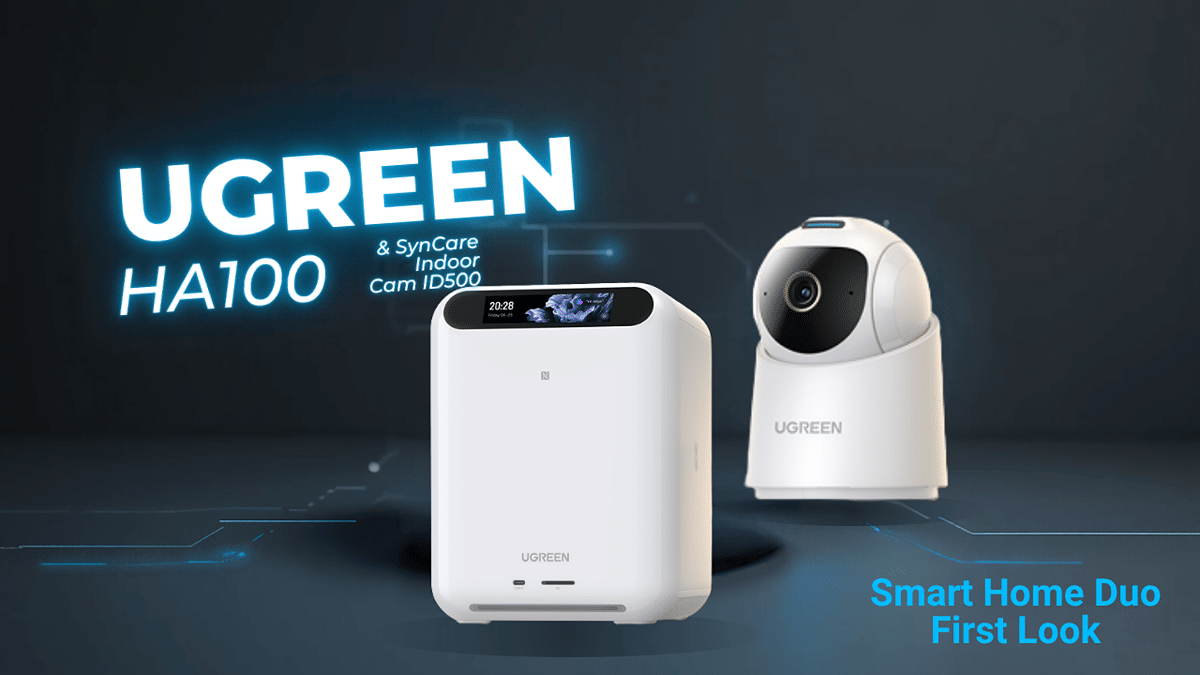
UGREEN is moving beyond the gear I usually associate with the brand and into the smart home. I got my hands on two pieces of its new HomeAgent lineup: the HomeAgent HA100 hub and the SynCare ID500 Pro indoor camera. The interesting pitch is that the hub can bring security, storage, smart-home control, and AI processing together locally.
This is a first look, not a performance review. Neither device has been set up or put through real-world testing yet, so I can tell you what is in the boxes, what I can see on the hardware, and what UGREEN says the system is designed to do. I cannot tell you yet whether it delivers on that promise.
Disclosure: UGREEN provided these products as free samples in exchange for an unbiased review. That does not change how I assess them.
Key Takeaways
UGREEN positions the HA100 as a local hub for AI, storage, security, and smart-home control.
The ID500 Pro is a 4K indoor camera with a movable base and lens housing.
Packaging and hardware make a good first impression, but performance and compatibility remain untested.
SynCare ID500 Pro: A 4K Indoor Camera With Room to Move
The ID500 Pro is a 4K indoor camera with a compact white body and a dark lens housing. Its shape may look familiar if you have handled other indoor security cameras, but there are a few practical details worth calling out.
In the box, I found a wall power adapter, a long USB-A to USB-C cable, mounting hardware, a mounting plate, and instructions. The plate connects to the bottom of the camera. It looks suited to either an upright or an inverted installation, although I still need to confirm how the image-inversion setting works once the camera is running.
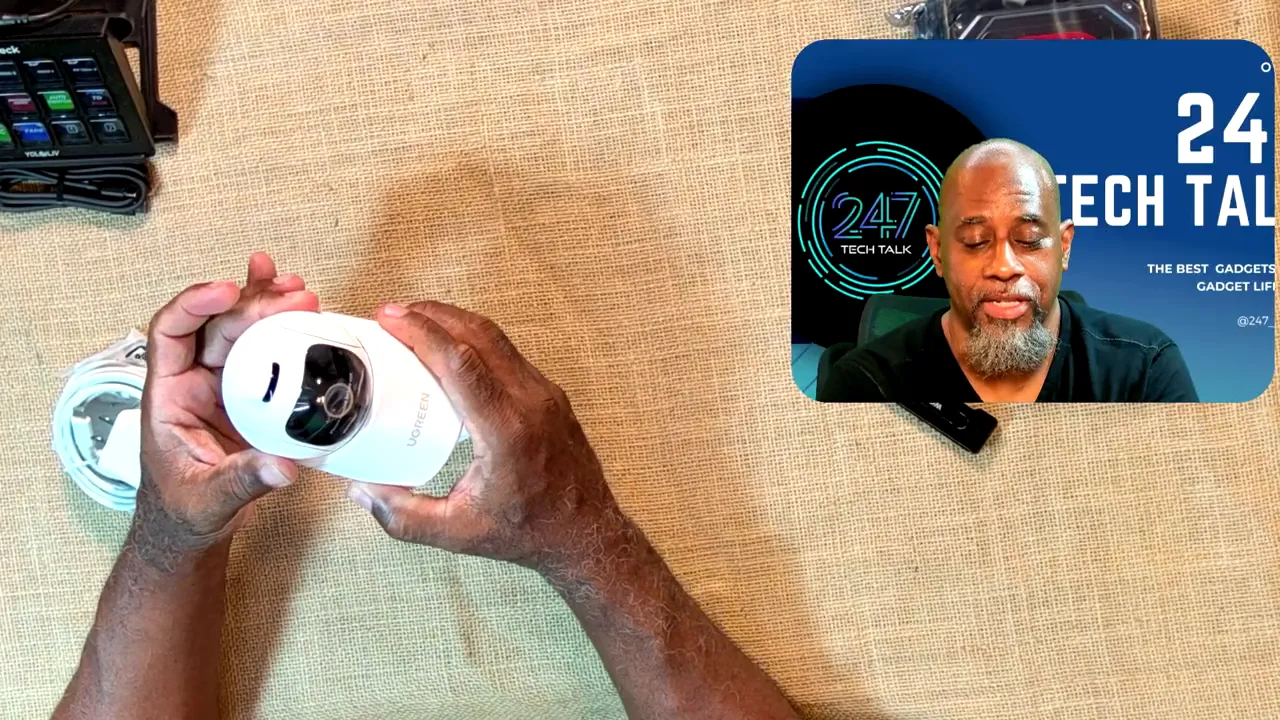
The underside has a QR code that appears intended for app setup, along with a reset button. There is a speaker at the back. The power cable plugs into a recessed area and can feed out through a cutout, which should help keep it out of the way when the camera is mounted.
I can move the base and tilt the lens housing by hand, so the hardware has movement on both axes. What I have not established yet is how its powered pan-and-tilt controls behave in the app. That distinction matters: being able to reposition the camera by hand is not a substitute for testing its motorized movement, tracking, or image quality.
What UGREEN Wants the HA100 to Do
The HomeAgent HA100 is the centerpiece of this setup. Its packaging describes a system that can connect cameras, speakers, storage, and smart-home devices into one coordinated local ecosystem. It also lists 26 TOPS for local AI processing.
UGREEN’s stated aim is broader than recording camera footage. The box describes natural-language interaction with the home, plus intelligent detection for people, pets, packages, and other important events across indoor and outdoor security devices. It also presents both app and web interaction as options.
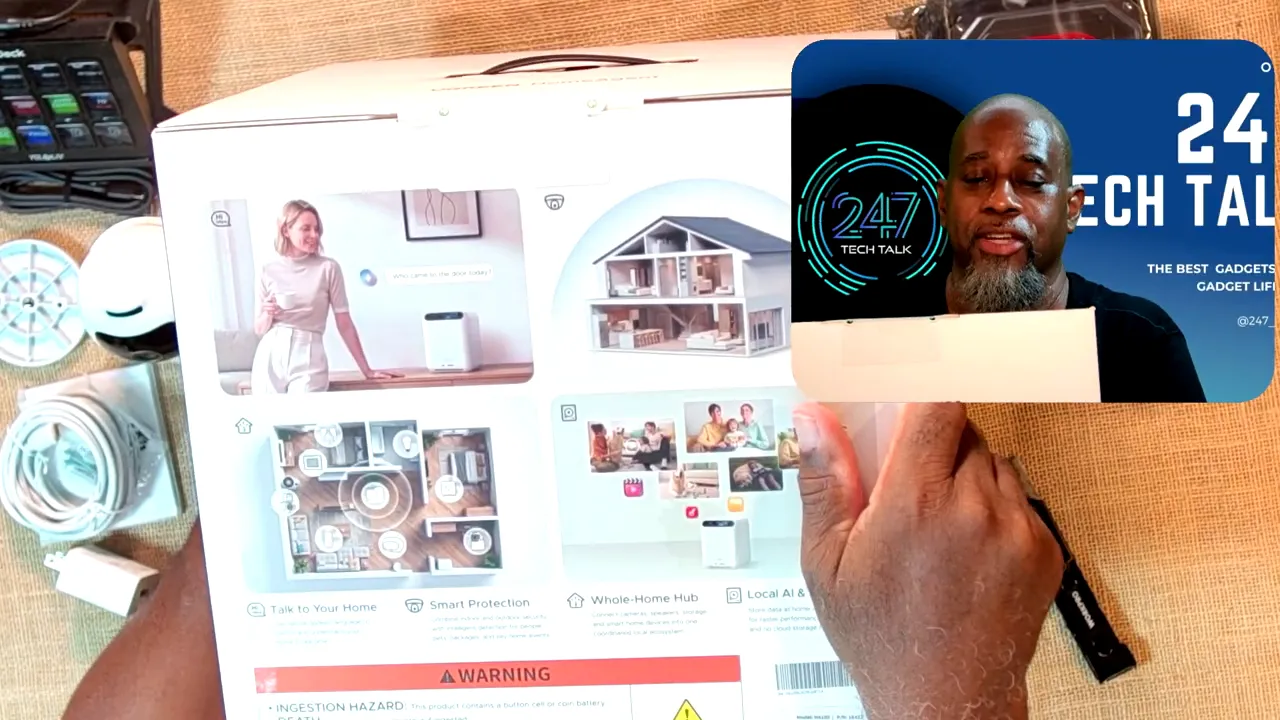
UGREEN presents the HA100 as a hub for security, smart-home interaction, and local processing.
The claim that has my attention is local AI paired with local storage. UGREEN says keeping processing and data at home can improve speed and privacy while avoiding cloud storage fees. That sounds compelling, especially if you do not want every smart-home event to depend on a cloud service. For now, though, those are product claims. I need to see what actually runs locally, how well it works, and whether any features still depend on an online connection.
HA100 Hardware and What Comes in the Box
UGREEN packed the HA100 carefully. There was an outer shipping box, a separate product box, thick foam, and another protective layer around the unit itself. That may not be the most exciting part of a smart-home system, but I appreciate seeing a glossy white device arrive without scratches.
The accessory box includes instructions, small screws, a screwdriver, a cover piece, a key for the drive-door mechanism, an Ethernet cable, and the power supply components. I initially thought the cord plugged straight into the hub. It does not: the cord connects to a substantial external power adapter, which then connects to the HA100.
On the front of the hub, I can see plus and minus buttons, four indicators, a microphone-mute button, and what appear to be a USB port and an SD card slot. The sides have ventilation, and the underside has an access panel with what looks like a memory slot inside. I will check the manual before making any claims about upgrades.
A magnetic dust filter covers the rear fan area. Along the rear edge are four Ethernet-style ports, two USB-A ports, HDMI, a power connection, and a power button. Some of the network-port markings appear to indicate PoE, but I could not read them clearly enough during this first look to confirm exactly which ports support it.
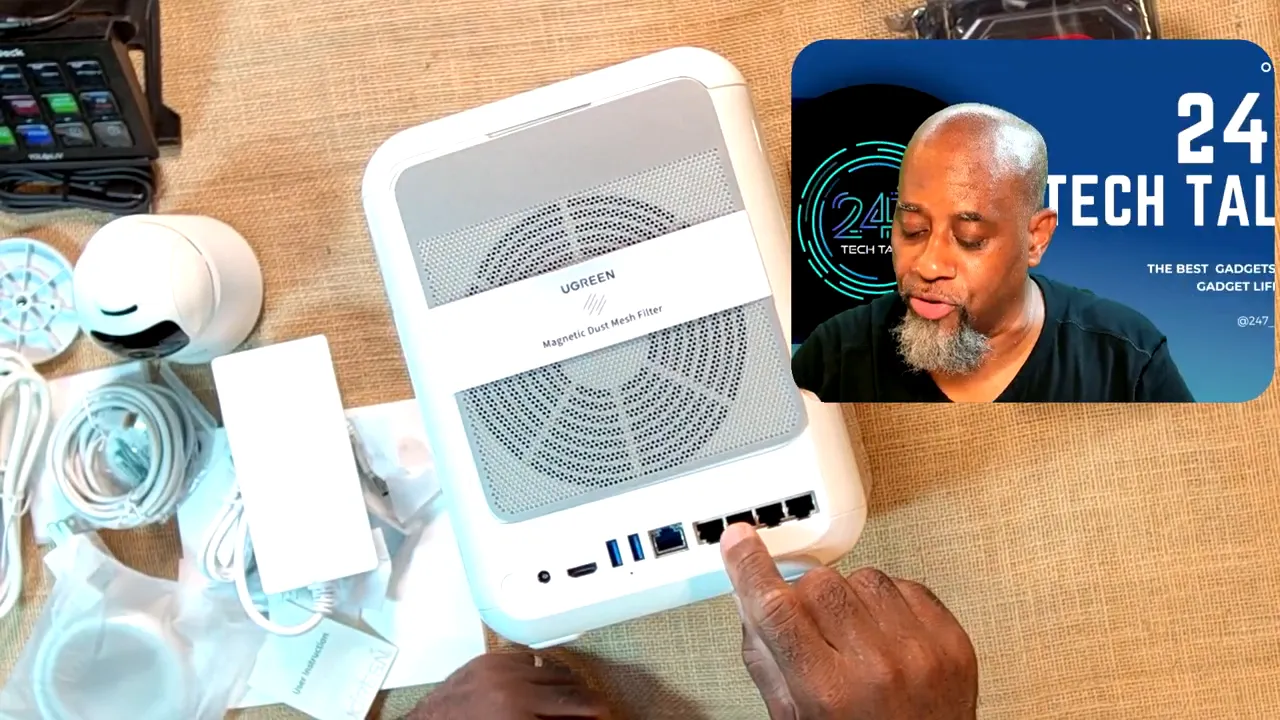
The HA100 has a substantial set of connections, but I still need to verify the network port specifications.
UGREEN also sent two Western Digital 2 TB NAS drives for this setup. They are not installed yet, and I have not confirmed the installation procedure. The included drive-door key is a familiar touch from UGREEN’s NAS hardware, but I will follow the HA100 instructions rather than guess where the drives go.
The Questions That Still Need Testing
As a first impression, the HA100 feels like a well-built, thoughtfully packed hub, and the ID500 Pro gives it an indoor camera to work with. What I cannot judge from the hardware alone is whether they make a good smart-home system. Here is what I want to find out after setup:
Local AI: Which detections and interactions are actually processed on the HA100, and how quickly do they respond?
Local storage: How are recordings stored and managed once the drives are installed?
Camera controls: How well do the ID500 Pro’s 4K image, powered movement, and recognition features perform?
Compatibility: Which smart-home devices work with the HA100, including devices that are not made by UGREEN?
Everyday use: How well do the app, web controls, and spoken interactions hold up outside the product description?
UGREEN offered an outdoor camera as well, but I passed on it. I have new siding on my house and am not ready to put more mounting holes in it. This setup will start with the indoor camera and the HA100.
There is plenty here to be intrigued by. A hub that keeps useful AI and security features at home could be a welcome alternative to a cloud-dependent setup. But the real verdict has to wait until the drives are in, the camera is connected, and the whole system has had a proper workout. Until then, the HA100 and ID500 Pro have made a strong first impression on presentation and hardware, with the most important questions still open.