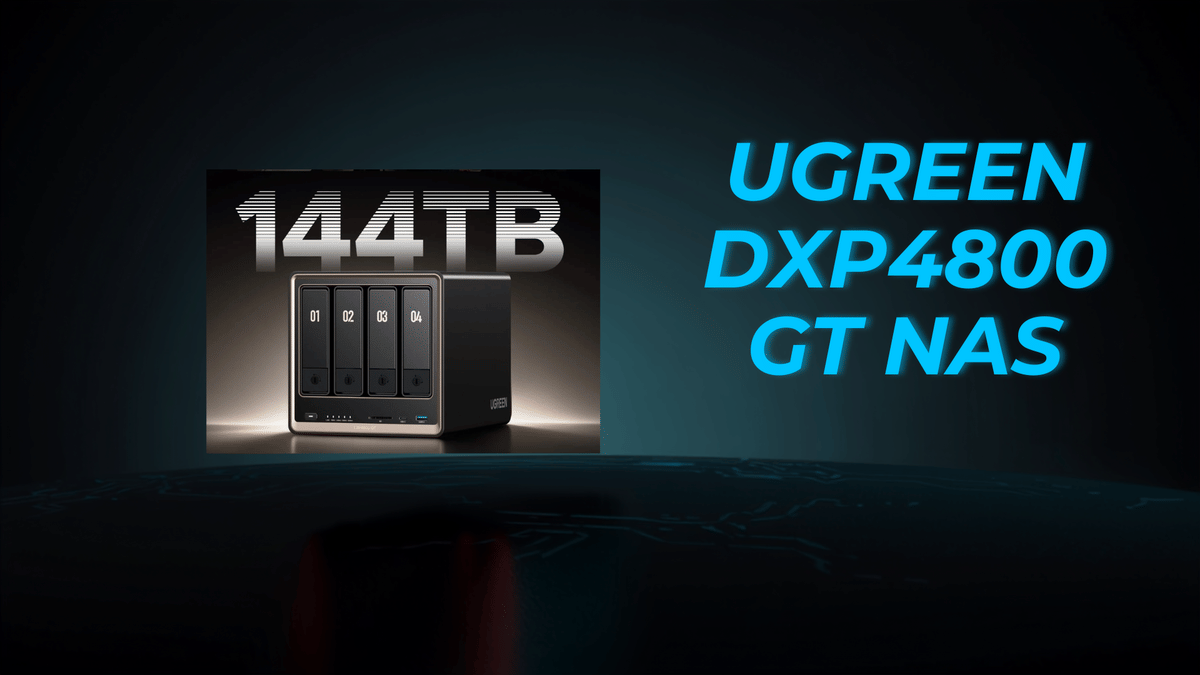
If you need a NAS that feels less like a basic file box and more like a serious piece of gear, the UGREEN DXP4800 GT deserves attention.
I spent real time with it on my own network, and this one checks a lot of boxes right out of the gate. You are getting dual 10GbE, a 4 bay NAS layout, dual M.2 NVMe SSD slots, expandable memory, built-in SD card support, USB instant backup, and enough horsepower to serve content creators, home lab users, media collectors, and even surveillance setups.
And after using several UGREEN NAS units already, I can say this model fits right into that lineup with confidence.
What the UGREEN DXP4800 GT brings to the table
The DXP4800 GT is a network-attached storage device built for people who want more than simple backups. It is designed for fast access, heavy storage needs, and flexible use cases.
Here are the headline specs that matter most:
Dual 10Gb Ethernet ports
4 drive bays
2 M.2 NVMe SSD slots
AMD Ryzen Embedded R2514 processor
4 cores and 8 threads, up to 3.7 GHz
8GB DDR4 RAM preinstalled
Memory expansion up to 64GB
Built-in SD card slot
USB A and USB C connectivity
HDMI output up to 4K 60Hz
Support for up to 144TB total storage
That 144TB figure comes from using up to four 32TB hard drives plus two 8TB SSDs in the NVMe slots. For anybody dealing with large media libraries, project archives, photo collections, or security recordings, that is a lot of headroom.
UGREEN also positions this NAS as a privacy and security-focused device, with encrypted login and encrypted transfers. That is expected in this category, but it still matters.
What that storage capacity actually means
Big capacity numbers are easy to throw around, so it helps to translate them into something more practical.
At the full 144TB capacity, the system is estimated to hold roughly:
About 96,000 movies at 1.5GB each
About 5 million songs at 30MB each
About 150 million documents at 1MB each
About 50 million images at 3MB each
Now, most people are not maxing this thing out on day one, but it gives you a feel for the scale. This NAS is built for growth.
Ports and hardware layout
One thing I liked immediately was that UGREEN did not skimp on connectivity.
On the back, you get:
Two 10GbE LAN ports
Two USB-A 3.2 Gen 2 ports
Two USB A 2.0 ports
HDMI output
Power input
On the front, you get:
A USB-A port
A USB-C port
A full-size SD card slot
Power button
Status and activity LEDs
That front access is especially useful if you regularly move files from cameras, field recorders, or external drives.
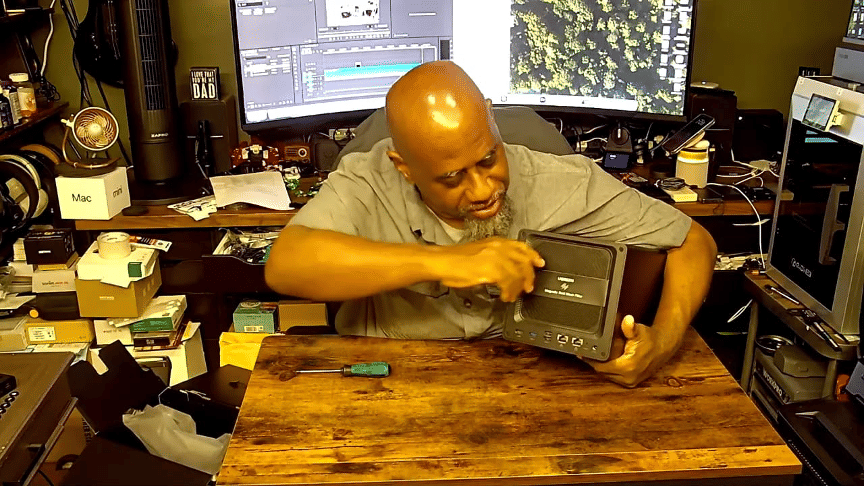
Upgradability is built in
The DXP4800 GT starts with 8GB of DDR4 RAM, but it is not locked there. You can open it up and expand the memory all the way to 64GB.
Under the panel, you also get access to the two M.2 NVMe slots. Those can be used for SSD caching or additional storage, depending on how you want to configure the box.
That kind of flexibility matters because a NAS is not something most people want to replace every year. It is better when you can start with what you need now and expand later.
What comes in the box
UGREEN includes a solid set of accessories with this unit. Inside the package were:
Power adapter and power cable
Ethernet cables
HDMI cable
Screwdriver and screws
Drive bay locking keys
SSD heatsinks
Warranty material and setup information
That is a good bundle. Even if you end up swapping in longer Ethernet runs or your own drives, it is nice not to have to hunt down basic accessories just to get started.
Drive installation is refreshingly simple
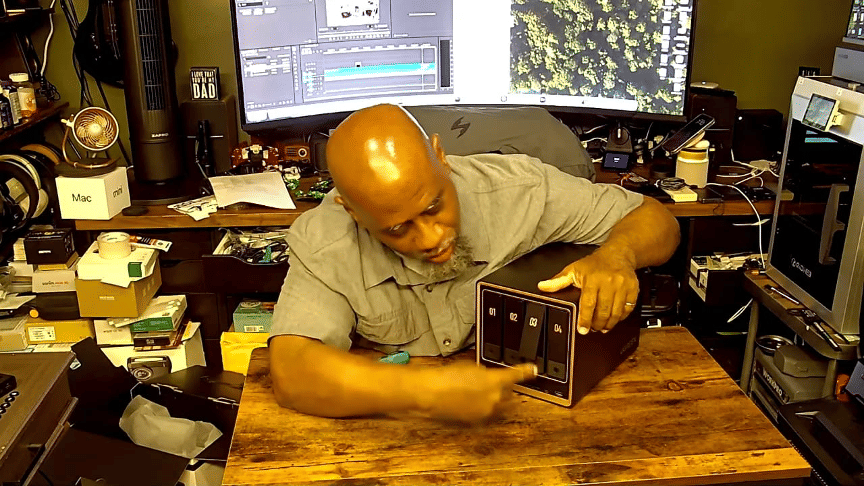
The drive bays are keyless to install, which keeps the setup straightforward.
You press the bay, it pops open, you drop the drive into the tray, close it up, and slide it back in. If you want to prevent accidental opening, there are little locking keys included for the front bays.
That means you get a simple install process without giving up the option to secure the drives physically.
How I actually used this NAS
Here is where this review gets more useful, because the real question is not whether the spec sheet looks good. It is whether the device makes sense in actual use.
I am a content creator. I record a lot of video. I keep a lot of footage. I reuse a lot of footage. And I need storage that is not only large but fast to access.
That is where the DXP4800 GT makes its case.
I ran it on a network that, while located at home, is built more like a small enterprise setup. The key detail is this: I connected both 10GbE ports into my network infrastructure using 10G to 10G links. My workflow includes capturing high-quality video to fast SSD-based gear, then moving that content to network storage for editing, archiving, and reuse.
For that kind of workflow, slow transfers are a deal breaker. This NAS gave me the quick access I need.
Why dual 10GbE matters
On a lot of cheaper NAS devices, the bottleneck is not the drive capacity. It is the network speed.
Dual 10GbE changes the conversation. It means this NAS is built for:
High-speed file transfers
Large media project movement
Multiple users on the network
Home lab and prosumer environments
Faster backups and restores
If your workflow includes large video files, raw photos, virtual machine images, or long-term project archives, this is exactly the kind of feature that makes a NAS feel premium instead of frustrating.
The UGREEN desktop software is one of the big strengths
Hardware matters, but software can make or break a NAS. The good news here is that the UGREEN software environment is loaded with useful tools.
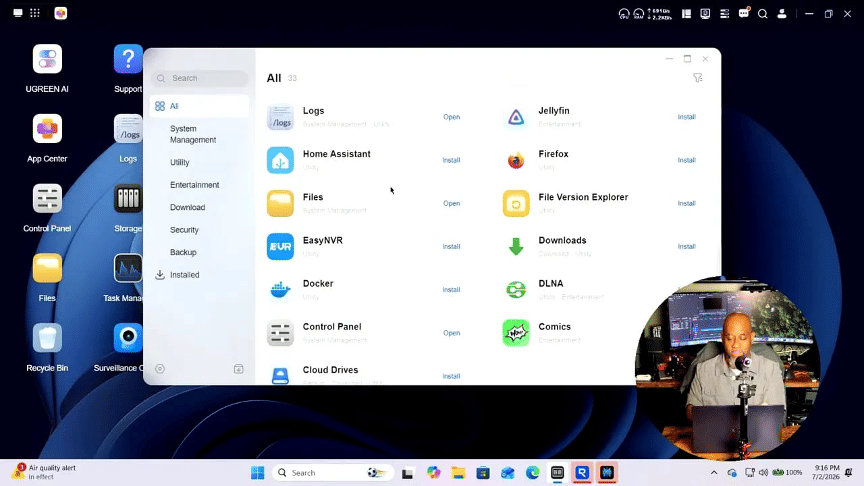
Inside the desktop app, there is an app center with a wide range of options. Some of the ones that stood out include:
Virtual Machine
UGREEN AI
Text Editor
Sync and Backup
Surveillance Center
Snapshot
Security Manager
Photos
BitTorrent
Jellyfin
Firefox
Files
Plex-related support
Comics and media tools
AI-powered photo and surveillance features
UGREEN is also leaning into AI features here in practical ways.
For photo libraries, the NAS can do AI recognition of faces and places. That makes it more useful if you are storing large personal or professional image collections and want easier organization.
For surveillance, the system supports ONVIF IP cameras. That means it can function as an NVR for live view, playback, and recording. On top of that, AI can be used for things like facial recognition in surveillance workflows.
That gives the DXP4800 GT another layer of value. It is not just a place to dump files. It can become part of your security setup, too.
Control panel features that matter in real life
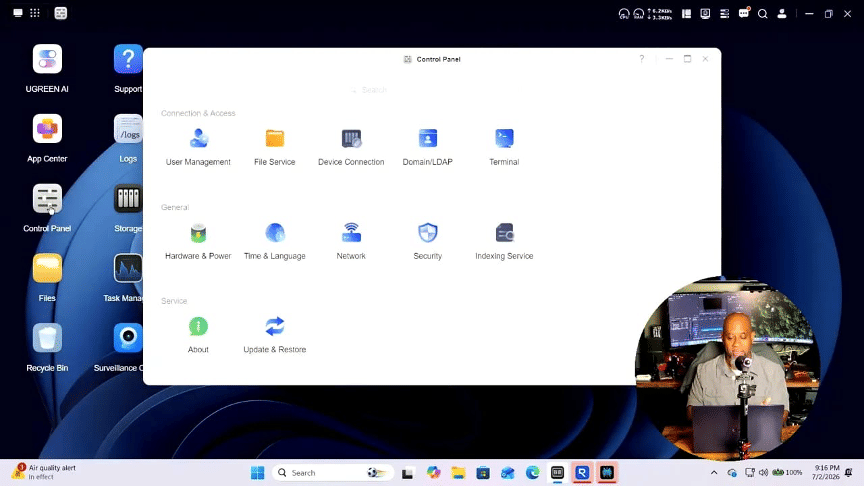
The control panel side of the software includes the things you would expect, but also the things you actually need once this becomes part of your daily setup.
That includes areas for:
User management
File services
Device connections
Network settings
Wake on LAN
Power recovery after an outage
Remote access tools
Tutorials and support resources
How I configured storage
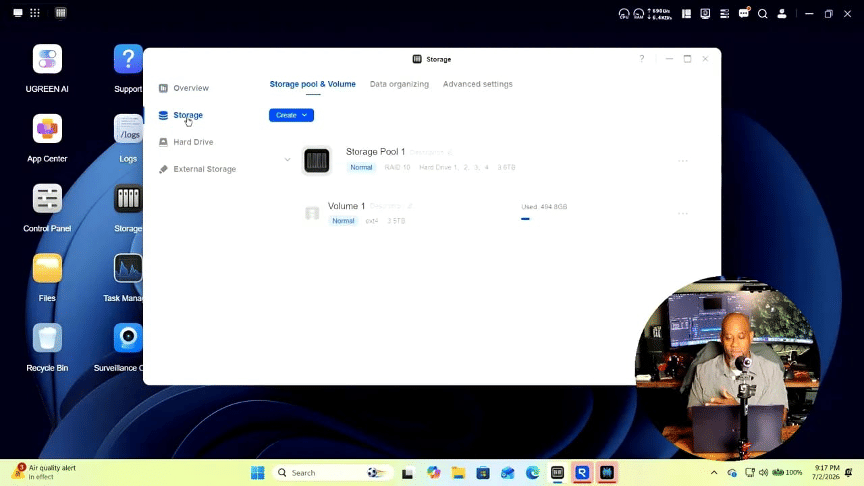
For testing, I used the four drives that were included and set them up in a RAID 10 array.
That means I traded some raw capacity for redundancy and peace of mind. Four 2TB drives give 8TB total raw capacity, but with RAID 10, the usable space ends up around 3.6TB after formatting and mirroring.
Why do that?
Because if a drive fails, I can pull it, replace it, let the array rebuild, and keep moving. For important content, that safety net is worth it.
Later on, I would likely replace those 2TB drives with at least four 8TB drives. In a RAID 10 setup, that would give me much more breathing room while still keeping redundancy in place.
Who this NAS makes sense for
The UGREEN DXP4800 GT is a strong fit for several kinds of users.
Content creators
If you shoot a lot of video, deal with project archives, and need quick access over the network, the dual 10GbE and expandable storage make a lot of sense.
Media server users
If you are building a Plex or Jellyfin setup, this NAS gives you room to scale and the software ecosystem to support it.
Home lab users
Virtual machine support, high-speed networking, and expandable RAM push this unit beyond entry-level NAS territory.
Backup focused households or small offices
If what you want is reliable centralized storage with redundancy, encrypted transfers, and broad access options, it handles that just fine, too.
Security-minded setups
With ONVIF camera support and surveillance tools, it can pull double duty as storage plus NVR.
Price and value
The listed retail price is $659.99, with a launch price around $559.99, and promotional pricing mentioned around $527.99.
At that price, considering the processor, dual 10GbE, expansion options, and software features, it lands in a very reasonable spot.
This is especially true if you compare it to NAS units that charge more while offering weaker networking or less flexibility.
My final take after testing
After spending time with the UGREEN DXP4800 GT NAS, my opinion is simple.
This is a fantastic NAS.
It is reasonably priced, quick to access, consistently available on the network, and flexible enough to cover a lot of different workloads. For my own use, where fast transfers and dependable storage matter, it did exactly what I need a NAS to do.
It has not failed me. It stays online. It performs well. And it feels like a serious piece of equipment, not a toy.
If you have been looking for a fast, powerful NAS for backups, media, home lab use, surveillance, or everyday storage, the DXP4800 GT is absolutely worth a look.
Two thumbs up from me.