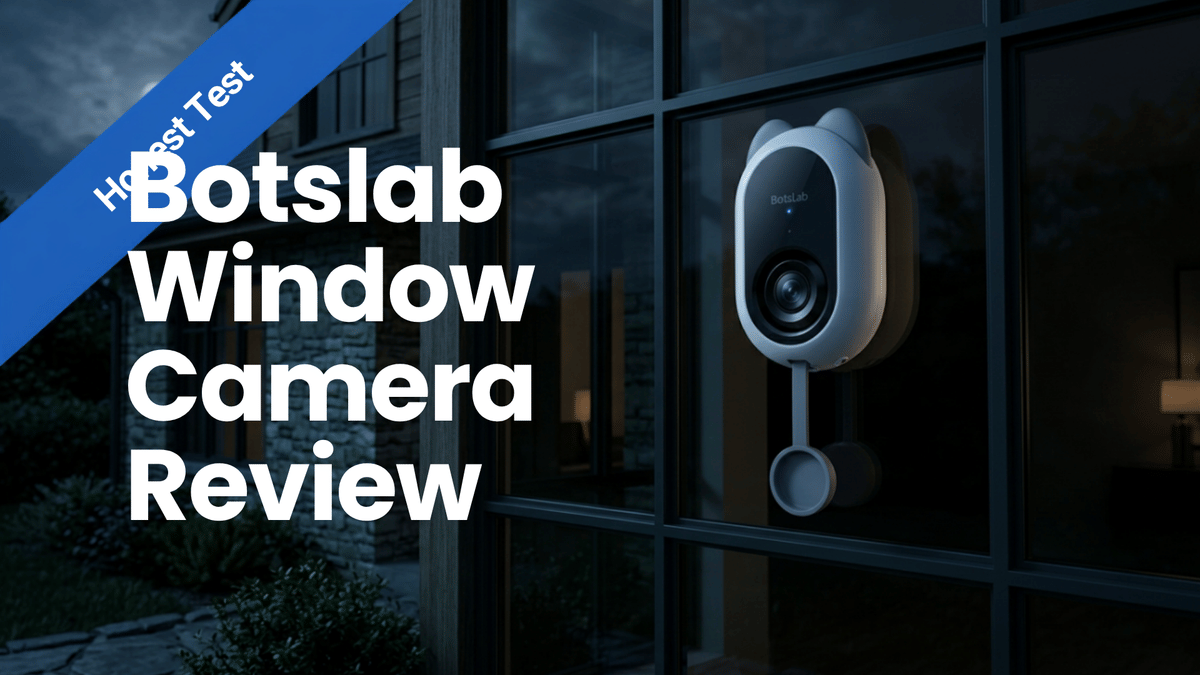
This Botslab Window Camera Review is about a security camera I honestly did not expect to like this much. The idea is simple but useful: instead of drilling into a wall, mounting under an eave, or trying to find a perfect outdoor power spot, you attach the camera directly to a window and monitor what is outside. It can also provide an adjustable indoor view when you need it.
For anybody with a vulnerable window, an awkward side yard, a garage blind spot, or a place where a normal exterior camera just cannot get the angle, this is one of those gadgets that starts making sense fast.
What the Botslab Window Camera Brings to the Table
The Botslab Window Camera is a compact plug-in camera built around a switchable inside and outside perspective. The packaging highlights a lot of the things you would expect from a modern smart security camera:
Dual 2.5K resolution
AI human detection
2.4 GHz and 5 GHz Wi-Fi support
24/7 recording capability
Adjustable indoor view
Privacy cover for the indoor camera
Indoor infrared night vision
True color night vision
microSD card recording support
That dual-band Wi-Fi support deserves a mention. Plenty of smart cameras still only connect through 2.4 GHz Wi-Fi, so having 5 GHz available is a nice touch for homes where the network is already set up that way.
The box also identifies this as a Red Dot award winner for 2026. More importantly, though, the real value here is not the badge. It is the installation concept and the flexibility it gives you.
What Comes in the Box
The unboxing is straightforward. You get the camera, a power adapter, a USB-A to USB-C power cable, setup documentation, window mounting pieces, and cable clips.
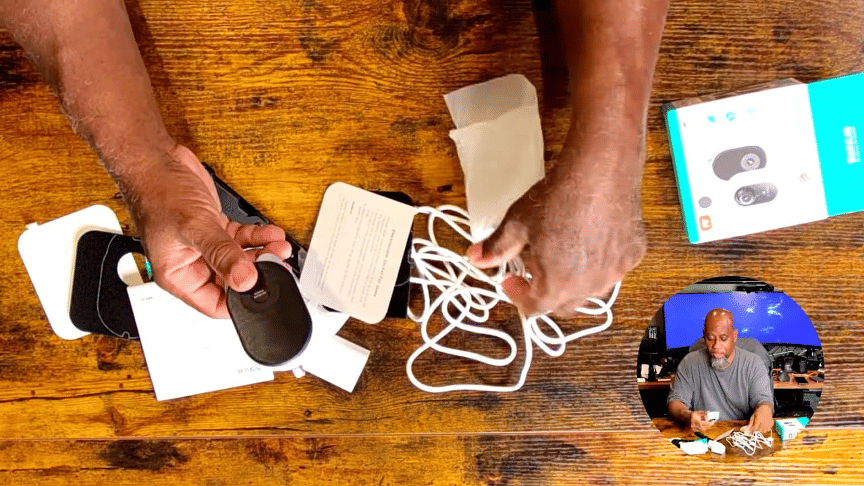
The USB cable is fairly long, around six feet by my estimate, and that matters because this camera needs continuous power. The cable length gives you a little more freedom when choosing a window and routing power to an outlet.
The package also includes electrostatic glass stickers and reusable hook-and-loop style mounting pads. One piece has a circular guide to help line up the camera lens on the glass. Botslab includes two mounting pads, which give the camera some real mobility. If you have multiple windows you want to cover at different times, you can move it instead of buying another full camera.
There are also clips for tidying the power cable. I had not decided exactly how I wanted to run mine during setup, but it is good that the cable-management pieces are included.
A Look at the Camera Design
The camera itself is lightweight and compact. Its rear mounting surface is designed to attach to the window pad, while the camera body has a privacy cover for the indoor-facing lens. There are speakers on the sides, a power button on top, a microSD card slot, and a USB-C power connection.
There is no internal battery, and for this type of camera, I actually see that as a positive. A camera assigned to watch a vulnerable window needs to remain on. I would rather have continuous power than wonder whether the battery is about to die at the exact moment I need the camera.
If you need battery operation, this is not the product. But if you want a continuously powered camera with a simple location-specific install, that wired setup makes sense.
Why a Window Camera Can Be the Right Security Solution
The best example is the installation spot I chose: a window in my garage gym above a window air conditioner. Existing cameras covered much of the backyard, but they did not have a good view of someone approaching this particular window from the side.
That created a real blind spot. The window camera could watch the approach to the window itself, including anyone trying to mess with the air conditioner or access that part of the garage. On the other side of the wall is a gym area, so having an additional way to keep an eye on that space was also useful.
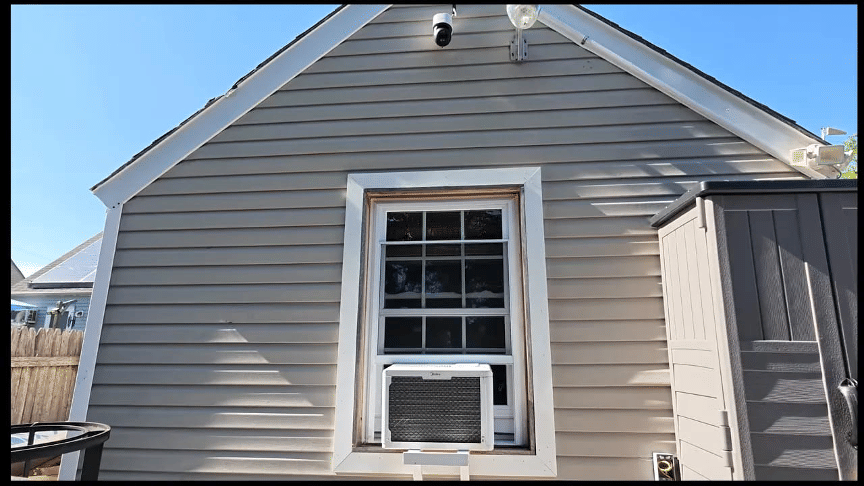
This is where the Botslab Window Camera earns its place. It is not trying to replace every camera around a home. It is for those awkward places that standard cameras miss.
Some practical uses include:
Monitoring a garage, shed, or workshop window
Covering a side entrance or narrow passageway
Watching a parked car from a window
Adding temporary security while traveling
Keeping an eye on a room from the indoor-facing camera when appropriate
Monitoring a ground-floor window without drilling into exterior walls
For example, if you are staying at an Airbnb, have reliable Wi-Fi, and want to keep an eye on a vehicle loaded with gear, you can put the camera in a window pointed toward where the car is parked. That is a practical mobile-security use case.
Installation: Clean the Glass, Stick It On, Plug It In
Installation was about as simple as advertised. I cleaned the window pane, applied the mounting pad, attached the camera, plugged it in, and connected it to Wi-Fi through the app.
Once the camera was mounted, it felt secure on the hook-and-loop style pad. The unit sits directly on the glass and does not require drilling, screws, or a complicated bracket. That is the big win here.
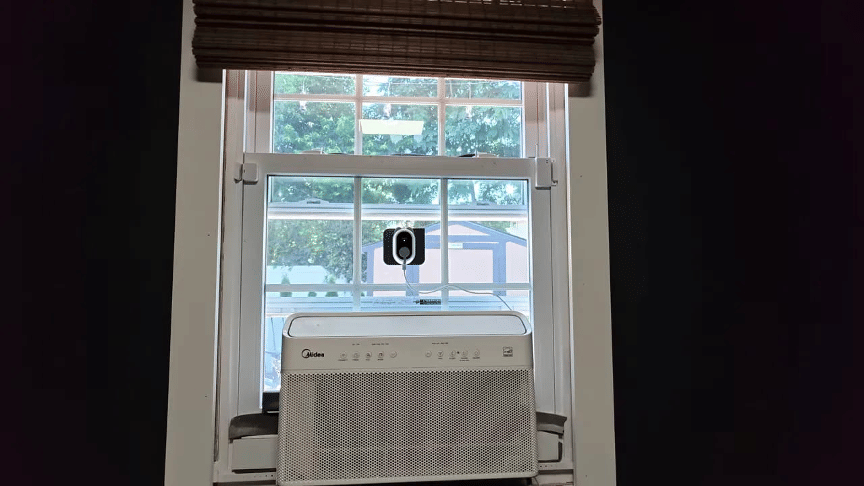
The camera begins connecting after being powered on, indicated by its blinking lights. From there, the main thing to think about is cable routing. I placed mine in a corner where the cable stayed out of the way, but you can use the included clips or create a cleaner custom cable run.
Installation Considerations
Before committing to a location, check a few things:
Make sure there is a nearby outlet for the powered connection.
Confirm that your Wi-Fi signal reaches the window.
Clean the glass well before attaching the pad.
Think about shades, blinds, screens, and air conditioners that may affect the indoor or outdoor view.
Choose a spot that gives you a useful angle, not just a convenient mounting surface.
In my setup, a screen blocked the indoor view, so I focused primarily on using the outdoor-facing camera. That was fine because the outdoor blind spot was the main problem I wanted to solve.
The Botslab App and Event Recording
The Botslab app is where you manage live view, recorded events, alerts, cloud options, privacy settings, and AI features. The home screen gives you access to the camera feed and the event list, while the event section shows automatically recorded clips.
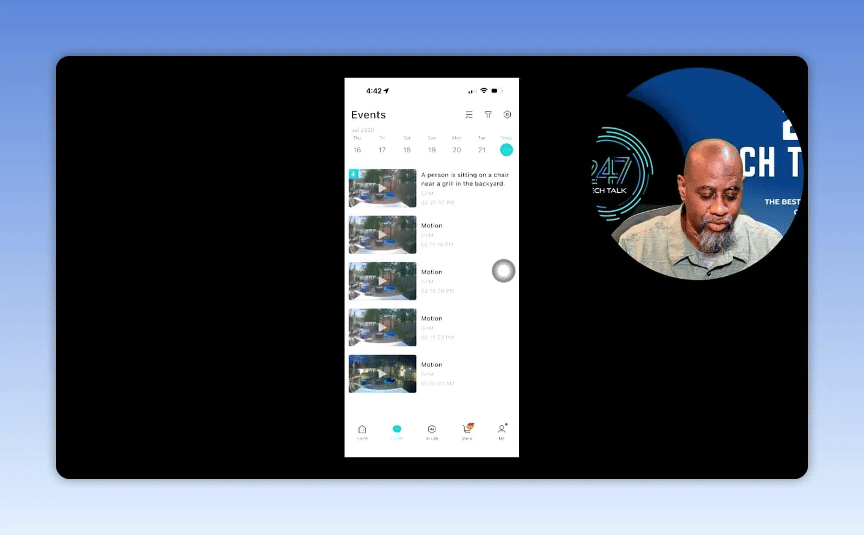
In testing, the camera picked up movement from trees in the backyard. That is normal for a motion-driven camera, especially in an outdoor scene with wind and foliage. It confirms that the camera is actively detecting activity, but it also means placement and alert preferences matter.
One event was labeled as a person sitting in a chair, even though no one was actually there. That is worth knowing. The camera’s person detection can be useful, but it is not perfect. Treat AI labels as an alert that something might be happening, then check the actual clip before jumping to conclusions.
AI Features and Person Detection
The app includes an AI Skills Store, intelligent search, human recognition, and person detection options. The app indicated that the listed skills were free, although the flow for adding a person could look like a purchase process before it is added to the account.
Person detection can be configured by selecting a person and adding a photo. This can potentially make alerts more useful, but again, the real-world example showed that an AI classification can occasionally be wrong. Motion alerts were still functioning, and that is the important baseline.
Storage and Cloud Recording
The camera supports local recording through a microSD card, and the app also offers cloud storage. A free cloud option provides 30 days of recording, with paid options available for additional storage beyond that.
Thirty days is a solid amount of history for many home-security setups. Whether that is enough depends on your personal needs, but having both local card recording and cloud options is useful.
Video Quality and Everyday Use
For everyday use, the video looked clear and useful for monitoring the backyard and the area around the garage. This is a compact camera, not a giant outdoor floodlight camera, so the real expectation should be clear coverage of a specific window-based area. On that front, it delivered.
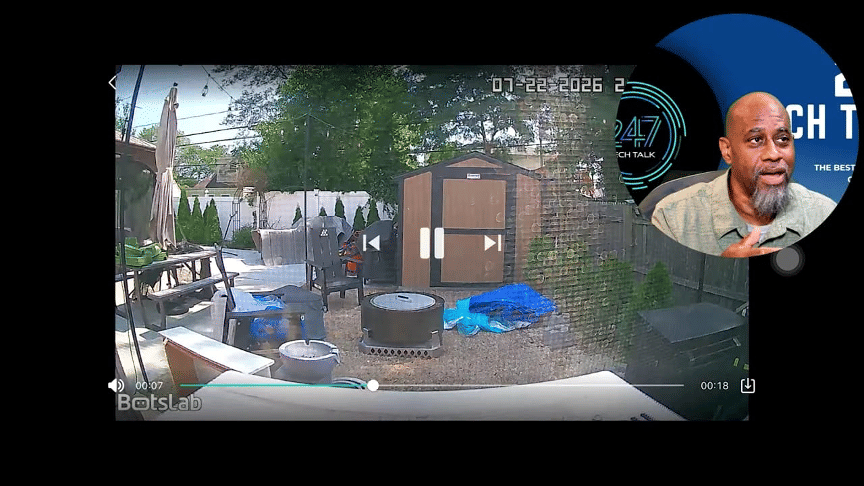
The inside and outside view capability is another reason this camera stands out. You can use the indoor-facing side when needed, then use the privacy cover when you do not want that lens active. That is a thoughtful feature for a camera mounted in a room where people spend time.
The ability to switch roles also helps justify the camera beyond a single security angle. It can cover an exterior approach while still giving you an option to check indoors, depending on how your room and window are set up.
What I Liked Most
Easy installation: No drilling and no complicated exterior mounting.
Flexible placement: It works anywhere you have window glass, power, and Wi-Fi.
Reusable mounting option: The included pads make moving the camera practical.
Dual-band Wi-Fi: Support for both 2.4 GHz and 5 GHz is welcome.
Continuous power: No battery anxiety for a camera meant to provide ongoing coverage.
Clear video: The outdoor image was clear enough for useful monitoring.
Indoor and outdoor capability: The switchable view gives it more flexibility than a standard one-way camera.
Privacy cover: A simple but important feature for indoor-facing use.
What to Keep in Mind
You need power: There is no built-in battery, so placement depends on outlet access.
AI can make mistakes: Person detection may occasionally misidentify activity.
Window conditions matter: Screens, blinds, reflections, and window layout can affect the view you get.
The cable needs planning: A clean installation means taking a minute to route and secure the wire.
Final Verdict: Is the Botslab Window Camera Worth It?
My final take on this Botslab Window Camera Review is a thumbs up. It is lightweight, quick to install, clear enough for practical security monitoring, and surprisingly flexible. It is especially strong for homes with a specific camera blind spot near a window.
Not every home needs one. But if you have been looking at a garage window, side window, workshop, or temporary travel setup and wondering how to get a camera there without turning the project into a weekend construction job, this is a smart answer.
The Botslab Window Camera is mobile, powered, easy to set up, and capable of providing both indoor and outdoor coverage. For the right location, it is one of those simple ideas that works better than you might expect.
Check out the review video here: https://youtu.be/OoZ1zXxAmxg