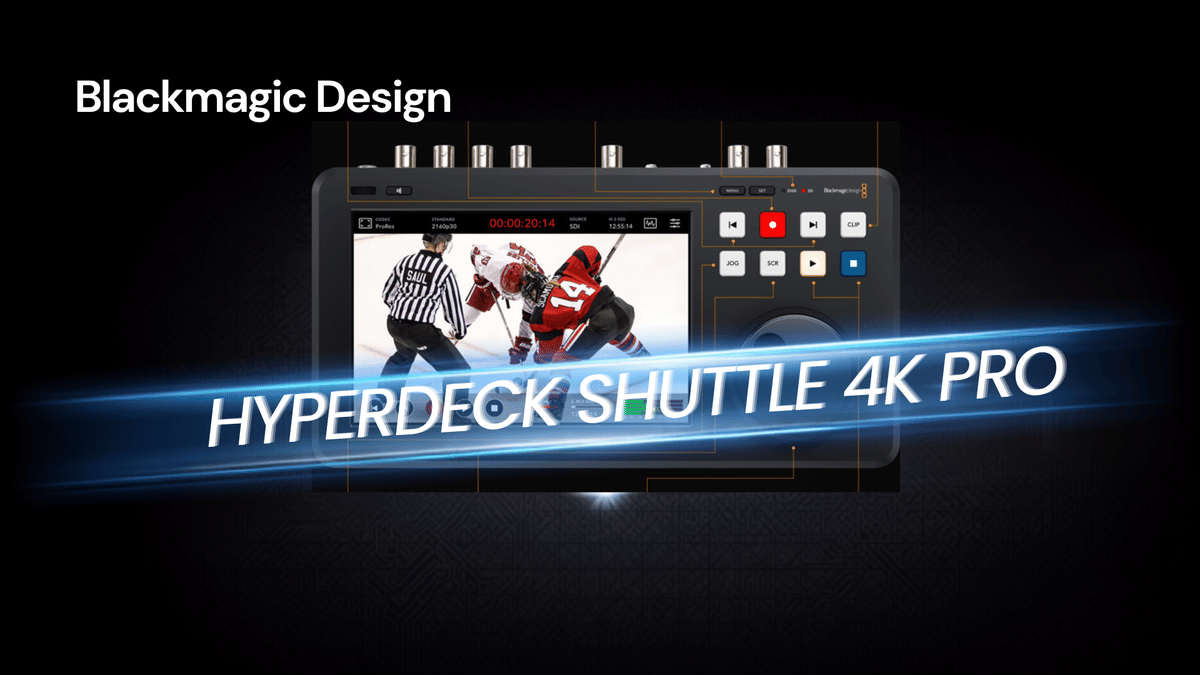
The Blackmagic Design HyperDeck Shuttle 4K Pro looked like it could solve a very real workflow problem.
When video production becomes an everyday job, file handling starts to matter just as much as picture quality. Moving footage across a network should be simple, especially on a 10 gig setup. But once even relatively small files start taking far too long to move, the whole workflow begins to drag. That was the reason for trying the HyperDeck Shuttle 4K Pro in the first place.
On paper, it checks a lot of boxes. It offers a compact broadcast deck design, a large touchscreen, physical transport controls, support for M.2 storage, and 10 gig Ethernet. More importantly, it is marketed as a device that can record directly to network storage or internal flash storage. For anyone working with a NAS based editing setup, that promise is a big deal.
After spending several weeks with it, the result is a mixed verdict. There is a lot to like here. But there are also some frustrating limitations and a few issues that should absolutely be known before buying.
Why the HyperDeck Shuttle 4K Pro seemed like the right solution
The main goal was straightforward: speed up ingest and reduce friction in a production workflow.
The network environment in use is not some basic consumer setup. It is built around 10 gig networking, SFP+ connections, and managed switches. The HyperDeck Shuttle 4K Pro includes a 10G Ethernet port, and with the right SFP+ to 10GBase-T bridge converter, it can slot right into that infrastructure.
That creates two attractive workflow options:
Record to an internal M.2 SSD and then quickly copy files over the network to a NAS.
Record directly to a NAS and skip the extra transfer step entirely.
If both of those workflows worked smoothly, this would be a very compelling tool for live production, studio recording, and content creation.
What you get in the box
Blackmagic keeps the packaging simple, and that continues here.
Inside, the essentials are included:
The HyperDeck Shuttle 4K Pro unit
Power supply
Regional power connectors
Documentation
The device itself has a clean, purposeful design. It feels like a compact broadcast control surface rather than a generic recorder. That is one of its strengths.
Hardware design and connections
The HyperDeck Shuttle 4K Pro offers a strong set of physical connections for a unit this size.
Rear connections
Locking power connector
SDI input
SDI loop out
SDI outputs A and B
HDMI input
HDMI output
SDI monitor output
HDMI monitor output
USB-C for external disk support
Remote in and out
Reference in and out
10G Ethernet
SD card recording support
The locking power connector is especially important on a recorder. If a cable gets nudged during production, the last thing anyone wants is an accidental disconnect.
Front controls
On the front, Blackmagic leans into the broadcast deck feel:
Large LCD touchscreen
Physical transport controls
Record and stop buttons
Search and jog dial
Menu and set buttons
Status indicators
Audio controls and speaker monitoring features
The touchscreen is responsive and works as expected. No complaints there. If you have used a modern touchscreen device, this feels familiar enough.
What the HyperDeck Shuttle 4K Pro does really well
For all the criticism coming later, there are genuinely good things about this unit.
1. The overall concept is excellent
This is a smart form factor. It gives you a physical deck-style interface without forcing you into a full rackmount unit. For desktop production setups, that is a real advantage.
2. Recording to an M.2 NVMe drive works
Installing a fast M.2 NVMe SSD gives the unit a reliable internal recording destination. In actual use, recording to that storage worked without issue.
That matters because it means the core recording function is solid as long as you are using local storage.
3. 10 gig file transfer performance is fast
Once files are on the internal SSD, copying them across the network to a NAS is impressively quick. Large files, including footage approaching 50 GB, can be moved in minutes rather than being dragged through painfully slow transfers.
So the 10G Ethernet connection is not fake, broken, or merely decorative. It clearly has the bandwidth to move data quickly.
4. The interface and controls are easy to work with
The touch interface is straightforward, and the physical buttons make sense for recording and playback tasks. Compared to menu-driven systems that slow you down, this one feels designed for people who actually need to operate gear quickly.
The biggest problem: network recording did not work as advertised
This is where the love-hate relationship starts.
The biggest reason for buying the HyperDeck Shuttle 4K Pro was the ability to record directly to network-attached storage. The device packaging and product messaging present that as a feature. It is not some hidden capability buried in fine print. It is one of the headline selling points.
But in real use, that feature simply did not work.
What happened during setup
Shared folders were created on multiple NAS devices using SMB. The recorder initially failed to detect them and reported network connection errors. After power cycling the unit, the shares eventually appeared, and it was possible to select them as recording destinations.
So far, so good.
Then the actual test began.
Press record, and the machine would freeze. The recording time indicators would turn red, then stop responding. The record button would flash red, and the deck would hang.
This happened despite a 10-Gig network environment and NAS systems that were properly connected and working normally with everything else on the network.
Why was this especially frustrating
The important detail here is that the deck could still transfer files over the network after recording to the internal SSD. That confirms the network path itself was functional.
In other words:
The 10G link was working
The NAS was reachable
SMB shares could appear on the device
File copying over the network was fast
The failure happened specifically when trying to use the NAS as a live recording target.
Support experience and the conflicting answers
Troubleshooting started the usual way.
Blackmagic support suggested checking whether the device firmware was current. That process itself is more awkward than it should be. To verify or update the unit, Blackmagic requires software downloaded to a computer, and the recorder must be connected over USB-C. It cannot simply be updated over the network in a straightforward way.
After checking, the software was already up to date.
Support also asked whether the NAS and recorder were on the same network. In this case, they were. The network design was not the issue.
Further research into Blackmagic documentation revealed something more troubling: material on their site indicated that recording directly to NAS may only work on the higher-end rackmount model rather than this Shuttle version.
That creates a serious problem, because the product messaging for the HyperDeck Shuttle 4K Pro presents direct network recording as a supported feature.
The final response from support was essentially that Blackmagic does not maintain a compatibility list covering all NAS devices, and the tested NAS might simply not be supported.
That answer is hard to accept when:
The product promotes direct recording to network storage
No clear compatibility limits are made obvious before purchase
The NAS shares are detected by the device
The network itself clearly works at full speed
The NAS compatibility issue matters more than it sounds
This is not a small issue.
If a product is marketed around direct network storage recording, buyers reasonably expect it to work with standard SMB based NAS setups unless clearly told otherwise. If there are restrictions by brand, protocol implementation, file system behavior, or performance characteristics, that information should be easy to find before money changes hands.
In this case, the NAS devices used were UGREEN units connected over 10 gig Ethernet. They worked perfectly for general network storage tasks. They also worked as destinations for copied recordings from the HyperDeck Shuttle 4K Pro. The only thing that failed was recording to them directly in real time.
That makes the issue feel less like a networking problem and more like a product limitation that is not being communicated clearly enough.
Another annoyance: no power switch
There is also a practical hardware issue that should not be ignored.
The HyperDeck Shuttle 4K Pro does not include an on and off switch. Like some other Blackmagic gear, it remains on unless you cut power externally.
That may not sound major, but in long-term use, it becomes annoying. After sitting idle for a while, the recorder could become unresponsive when trying to start a session again. The fix was to physically disconnect the power and reconnect it.
That means an inline AC switch is almost a necessity if this unit is going to be part of a daily workflow. It is a workaround, not a feature.
How does it compare to other Blackmagic experiences
This result fits a pattern some people know all too well with Blackmagic products.
The company often delivers gear with excellent ideas, attractive feature sets, and strong value for the money. But every so often, there is that one issue that should have been ironed out, documented better, or supported more clearly.
That tension is what makes this review difficult. The hardware is appealing. The workflow potential is strong. The transfer speeds are real. The form factor is smart. Yet one of the most important advertised functions becomes unreliable or unusable depending on the storage environment.
Who the HyperDeck Shuttle 4K Pro is good for
Despite the criticism, this recorder still makes sense for some setups.
It is a good fit if you plan to:
Record primarily to an internal M.2 SSD
Use the 10G connection mainly for fast file offload afterward
Want a compact, desktop-friendly broadcast deck-style recorder
Value SDI, HDMI, and physical transport controls in one device
In that role, it can be a very useful tool.
Who should be careful before buying
You should think twice if your main reason for buying is direct NAS recording.
Be especially cautious if:
Your workflow depends on SMB shares
You use a NAS brand not explicitly confirmed by Blackmagic
You expect plug-and-play direct recording over 10 gig Ethernet
You need a recorder that can sit idle and always wake up reliably without a power cycle
Those issues could turn this from a helpful production tool into an expensive frustration.
Final verdict
The Blackmagic Design HyperDeck Shuttle 4K Pro is both impressive and irritating.
It gets a lot right. The hardware design is good. The touchscreen is responsive. Recording to internal M.2 storage works. Network copy performance over 10 gig Ethernet is genuinely fast. For local recording and later transfer, this thing can absolutely earn its place in a serious setup.
But the cons matter.
The lack of a power switch is a nuisance. The occasional freezing after sitting idle is worse. And the biggest issue of all is the gap between the advertised promise of direct network storage recording and the real-world experience of trying to make that feature work with a modern NAS setup.
If your plan is to use it as a local recorder with speedy network offload, the HyperDeck Shuttle 4K Pro can still be a strong buy.
If your plan is to record straight to a NAS because the product says you can, do not assume that part of the workflow will just work. Confirm compatibility first, and if that information is not available, consider that a warning sign.
That is what makes this device so frustrating. It is very close to being an easy recommendation. But close is not the same as dependable, especially when workflow is on the line.