My Mac mini M5 Pro Was Wasting Its 10G Port… Until This Switch
If you’ve invested in a Mac mini M5 Pro with a 10-gigabit Ethernet port, you’ve likely discovered that most network switches can’t deliver the speeds you paid for. One creator found the perfect solution in the EnGenius ECS2510FP—a compact managed switch that finally puts that 10G port to work.
The Problem: Wasting Premium Hardware
The Mac mini M5 Pro comes equipped with a powerful 10-gigabit Ethernet port—a premium feature that positions it as an ideal hub for creative professionals, content creators, and power users. However, there’s a catch: most desktop network switches max out at 1 or 2.5 gigabits per second, meaning that expensive 10G port sits largely unused.
This was the exact frustration experienced by one tech reviewer who needed to connect their new Mac mini M5 Pro to their existing network. The previous 5-port Zyxel switch on their desk simply couldn’t keep up—not to mention it lacked enough ports for the growing array of NDI cameras and networking equipment cluttering a modern creative workspace.
Meet the EnGenius ECS2510FP: A Game-Changer for the Desktop
Specifications and Key Features
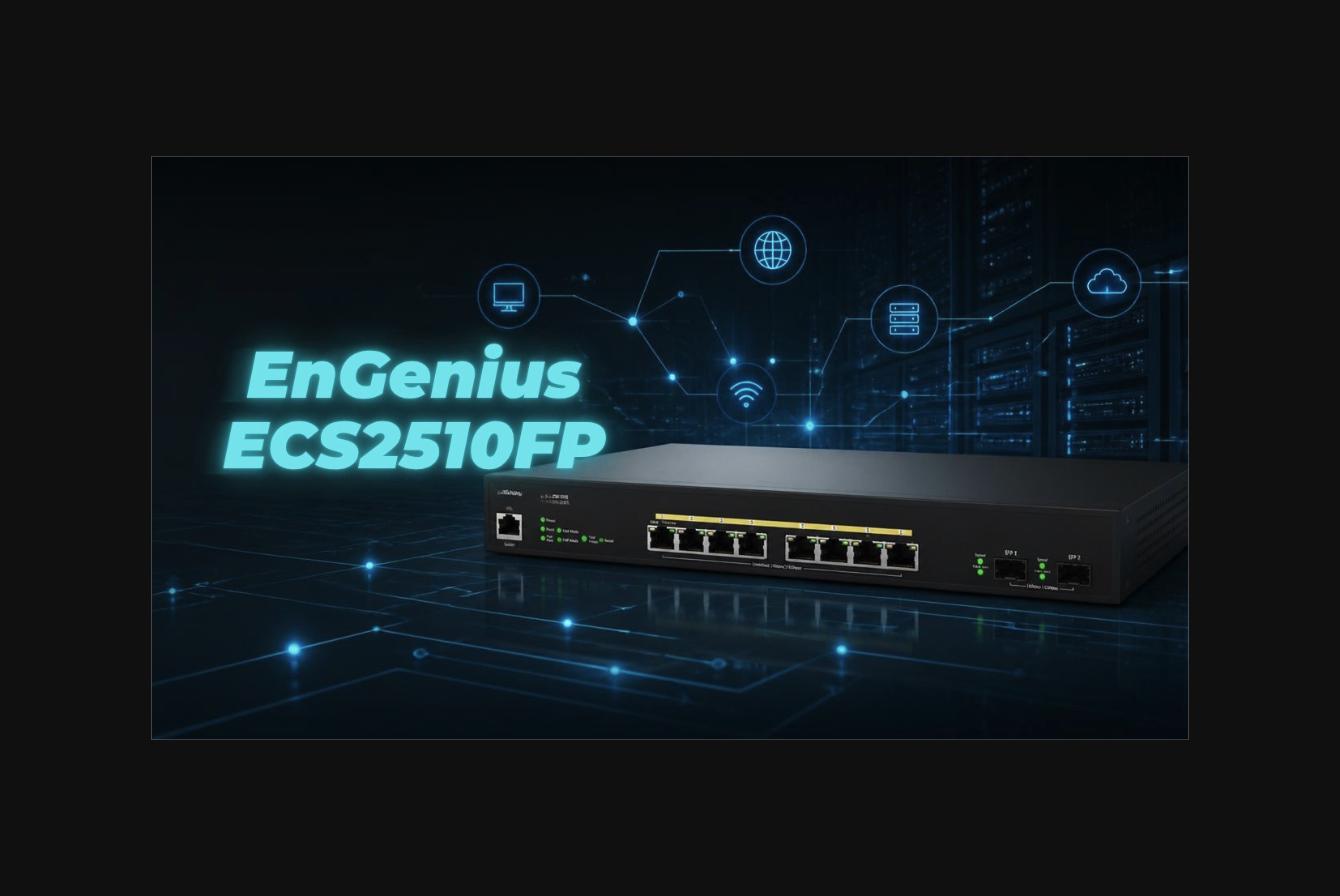
The EnGenius ECS2510FP is an 8-port managed Layer 2+ switch with multi-gigabit capabilities. Here’s what makes it stand out:
- 8 x 2.5G Ethernet ports – All ports support PoE+ (Power over Ethernet Plus)
- 2 x 10G SFP+ ports – For fiber connectivity or 10-gigabit Ethernet adapters
- 240-watt power budget – Generous PoE capacity for powering devices
- Cloud-based or local management – Flexible administration options
- Compact desktop form factor – Designed to fit on a desk without requiring rack mount hardware
The switch ships with mounting brackets for rack installation, an RS232 serial cable for console management, power cable, and rubber feet for desktop placement. For most users, the desktop configuration with included feet is the way to go.
What’s in the Box
Beyond the switch itself, the package includes all the essentials needed for deployment: power adapter, serial management cable, rackmount ears, and installation hardware. Setup is straightforward, making this an accessible option even for those without extensive networking experience.
The Real-World Solution: Connecting the Mac mini M5 Pro
The 10G Connection Path
The reviewer’s solution was elegant: connect the Mac mini M5 Pro directly to one of the ECS2510FP’s 10G SFP+ ports using an Ethernet-to-SFP+ adapter. This direct connection ensures that the Mac mini’s premium 10G port finally operates at full capacity—no bottlenecks, no compromises.
The second 10G SFP+ port connects via fiber optic cable back to the main EnGenius network infrastructure, creating a daisy-chain topology that maintains 10G speeds throughout the professional workflow.
Bandwidth That Matters
With this configuration, high-speed file transfers between networked storage (such as Ugreen NAS systems with dual 10G ports) and the Mac mini occur at full 10-gigabit speeds. For content creators working with large video files, multiple simultaneous backups, or complex media libraries, this represents a dramatic improvement over traditional gigabit networks.
The reviewer demonstrated reliable 2.5G performance over Ethernet to the broader network, with the specialized 10G connections handling the most bandwidth-intensive tasks. This tiered approach maximizes throughput where it matters most.
Management and Features
Comprehensive Control
The EnGenius dashboard provides extensive configuration options:
- System settings and network management
- Per-port configuration and monitoring
- VLAN support for network segmentation
- Port mirroring for traffic analysis
- Link aggregation for redundancy
- PoE budget management across all eight ports
Most users won’t need to configure all these features, but they’re available for advanced deployments. The cloud-based management option makes administration painless, while local management via the serial console provides an offline alternative.
PoE+ Capability
All eight 2.5G ports support PoE+, allowing the switch to power devices directly through the Ethernet connection. With a 240-watt power budget shared across all ports, this opens up possibilities for deploying PoE+ cameras, access points, and other equipment without dedicated power supplies.
Practical Performance in the Real World
The Setup
The reviewer’s installation involved replacing a previous Zyxel switch with the ECS2510FP as the central hub for a desk configuration. Additional devices would be connected in the coming weeks, but even in this initial state, the improvement was apparent.
Noise Levels
One consideration: the switch’s cooling fan runs continuously in warm environments. During testing at a bright, south-facing desk with a 57-inch Samsung display overhead, the switch produced approximately 55-56 decibels when the fans were active. This is tolerable for most environments but worth noting if silence is a priority.
Value Proposition and Cost Considerations
At approximately $185-$270 for the switch and necessary adapters (Ethernet-to-SFP+ converter and fiber optic cable), this isn’t a budget solution. However, when viewed as an investment in unlocking the full potential of a Mac mini M5 Pro and enabling 10G connectivity, the cost becomes justified for professionals.
Compare this to the cost of upgrading an entire network infrastructure, and the targeted investment in a high-quality desktop switch becomes quite reasonable.
Why EnGenius? A Word on Brand Loyalty
The reviewer acknowledges using EnGenius equipment throughout their network—from VPN gateways to multiple managed switches. It’s a fair question whether this represents bias. The answer, according to the creator, is straightforward: EnGenius equipment simply delivers. The reliability, cloud management flexibility, feature richness, and consistent performance across multiple product categories have earned a permanent place in a professional network. That’s not bias; that’s empirical satisfaction.
Perfect for Creative Professionals
This configuration shines for creators working with:
- High-resolution video files and media libraries
- Multiple networked storage devices
- NDI cameras and streaming equipment
- Frequent large file transfers between machines
- Remote backup and archival workflows
The EnGenius ECS2510FP transforms the Mac mini M5 Pro from a computer with untapped potential into a genuinely powerful node in a professional-grade network.
The Verdict
If you’ve purchased a Mac mini M5 Pro specifically for its 10-gigabit Ethernet capability, using anything less than a 10G-capable switch is leaving performance on the table. The EnGenius ECS2510FP delivers the connectivity, features, and reliability needed to justify that premium hardware investment.
This isn’t just an accessory purchase—it’s the key that unlocks what you already paid for. For creative professionals, this switch represents one of the smartest additions you can make to your desktop setup.
About the Product
EnGenius ECS2510FP
8-port managed Layer 2+ switch with 2.5G Ethernet and 10G SFP+ capability. Cloud or locally managed with full PoE+ support across all ports. Ideal for professional desktop networking environments requiring high-speed connectivity and advanced management features.